Best M3U Player for Firestick Users: What Actually Matters
Looking for the best M3U player for Firestick? Compare the features that matter most: easy setup, clean navigation, reliable EPG handling, and legal playlist use.
IPTV ChannelMate helps you organise and play your own legally obtained M3U playlists or authorised Xtream Codes credentials. It does not provide channels, streams, subscriptions or content.

Designed for simplicity, built for performance.
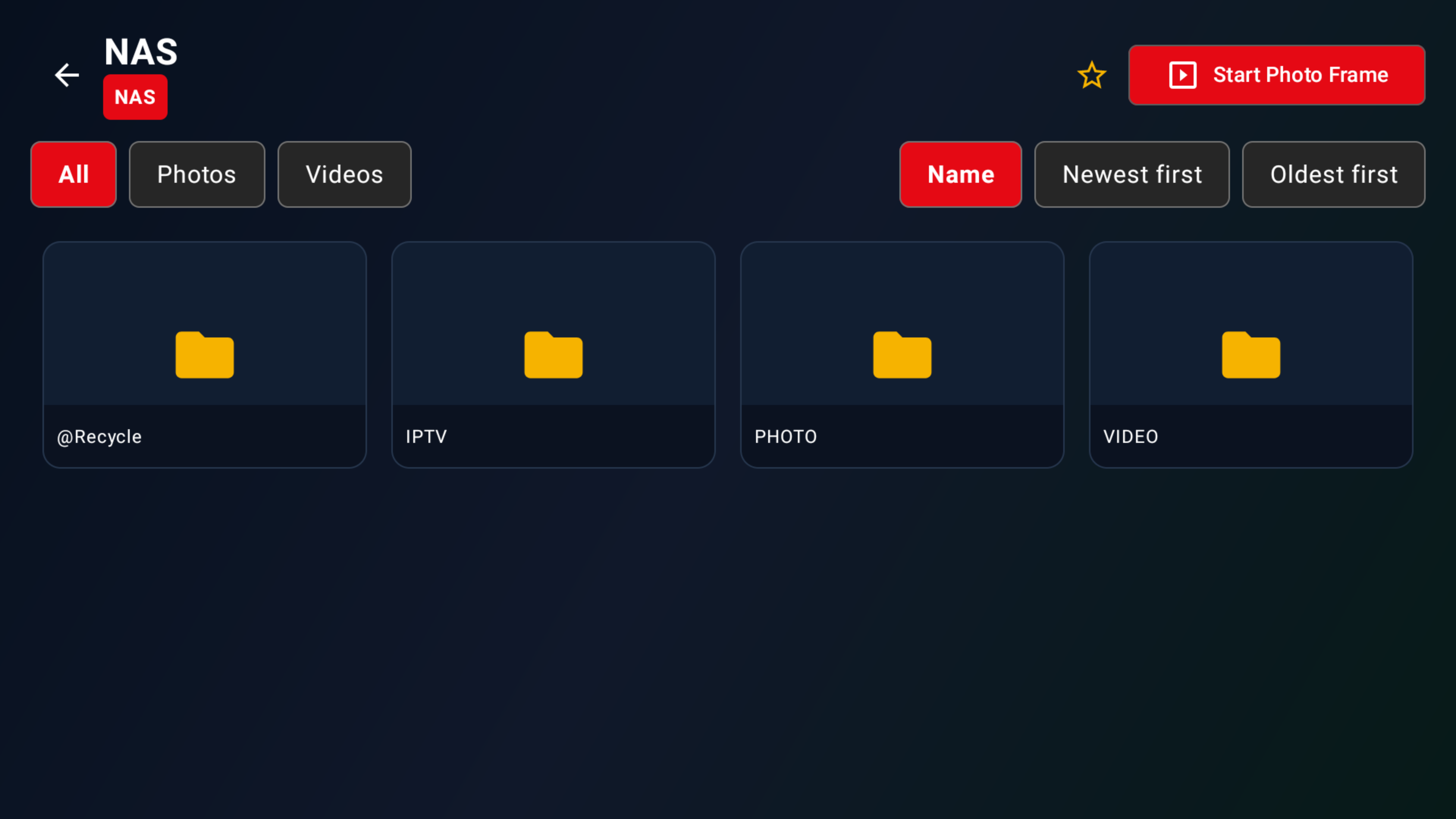
Add your own legally obtained M3U playlist URLs and browse your media sources with ease.
Connect via Xtream Codes API using credentials you already have the legal right to use.
Activate compatible devices and keep the player experience simple across screens.
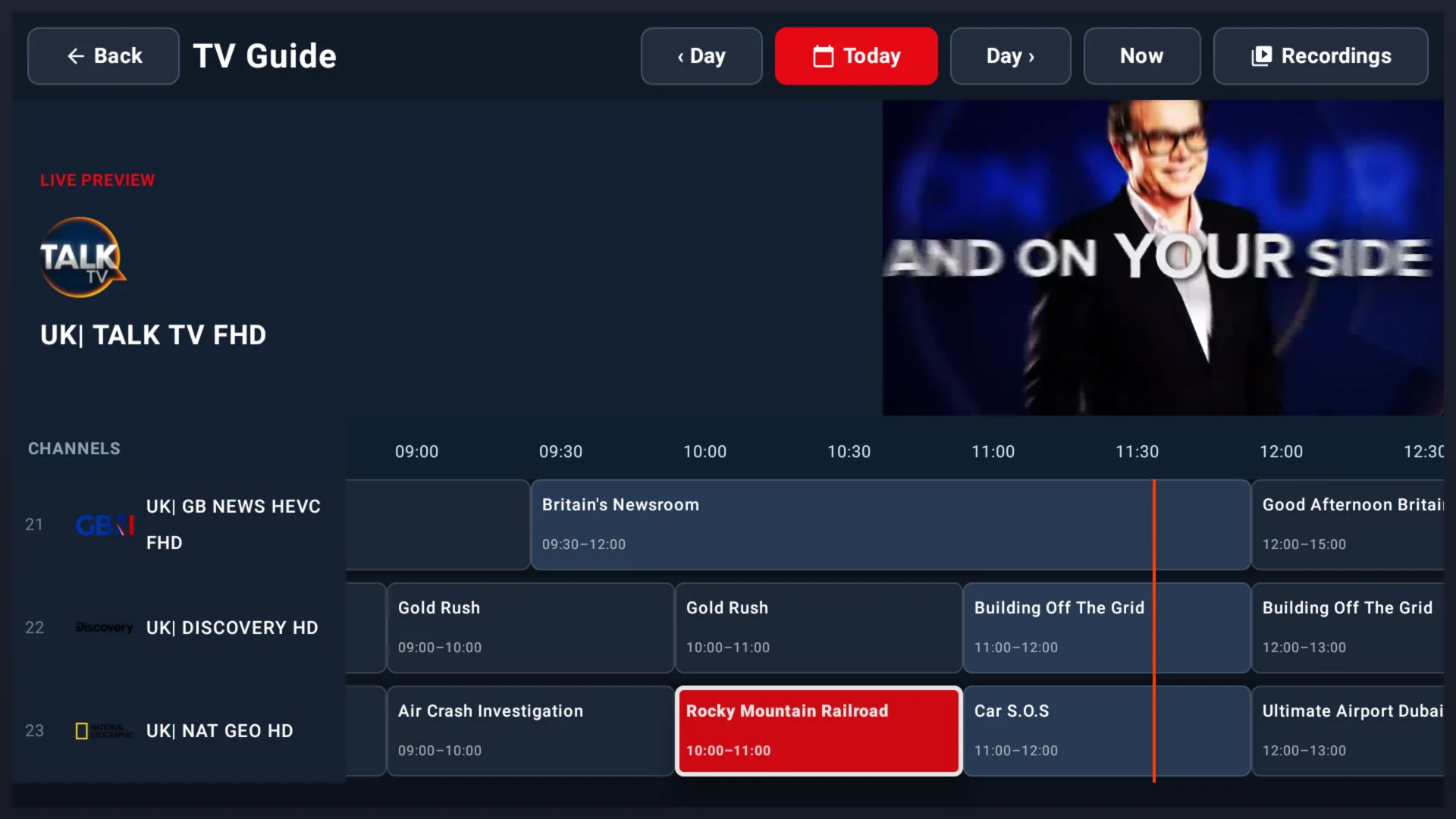
Electronic Programme Guide support when valid guide data is supplied by your playlist source.
Simple device activation with your unique Device ID — ready in seconds.
Save favourites and use catch-up playback when your legitimate playlist source supports it.
Built for people who want a clean player experience, clear controls, and time to decide. Looking for a TiviMate alternative? See how we compare below.
20-day free trial so you can take your time and decide with confidence.
Smart, simplified playlist structure tailored for easy browsing.
Intuitive, clean UI designed for all ages and big-screen use.
Stable, buffer-conscious playback for your own legally obtained playlists.
Typically only 7 days, with less time to properly test your setup.
Cluttered layouts that can make user-provided playlists harder to navigate.
Steeper learning curve and interfaces that feel built for power users only.
More frequent interruptions when handling large or complex playlist libraries.
ChannelMate is a media player only. No channels, subscriptions, playlists or content are included.
Download IPTV ChannelMate and install it on a compatible Android TV Box or Apple macOS device.
Enter your Device ID on our Activate page to unlock the app.
Upload your legally obtained M3U playlist or connect via Xtream Codes and start using your own media source.
One app, multiple screens. ChannelMate is optimised for big-screen TV experiences.
Native TV interface designed for the big screen. Navigate with your remote.
Download the latest macOS build from the release folder and run ChannelMate on your Mac.
Add your own legally obtained M3U playlist URL. Supports extended M3U with groups and logos.
Connect with your own Xtream Codes API credentials from a legitimate source.
ChannelMate is a media player application. Here is exactly what that means.
ChannelMate plays media from playlists you supply. It works like VLC: a neutral player tool.
We do not provide, host, sell or bundle any TV channels, live streams, IPTV subscriptions or content.
You purchase an activation licence for the app only. No IPTV services or channel packages are sold.
Users are solely responsible for ensuring their playlists are legally obtained and permitted in their jurisdiction.
Got your activation code? Enter your Device ID and unlock the ChannelMate player in seconds.
Activate NowAdd your legally obtained M3U URL or Xtream Codes credentials, then play your own media sources in the app.
Upload Playlist →Download IPTV ChannelMate today, activate your device and use your own legally obtained playlist.
IPTV ChannelMate is a media player only. No channels, subscriptions or content are provided or sold.

Guides, tips and tutorials for getting the most from your IPTV player.
Looking for the best M3U player for Firestick? Compare the features that matter most: easy setup, clean navigation, reliable EPG handling, and legal playlist use.
Exploring the world beyond TiviMate. We dive deep into the essential features an IPTV player needs, helping you find the perfect TiviMate alternative.
Tired of generic streaming? Learn the simple, safe, and 100% legal way to install IPTV on your Firestick using the ChannelMate player. Bring your own content and unlock a new world.
Download IPTV ChannelMate today, activate your device and use your own legally obtained playlist.