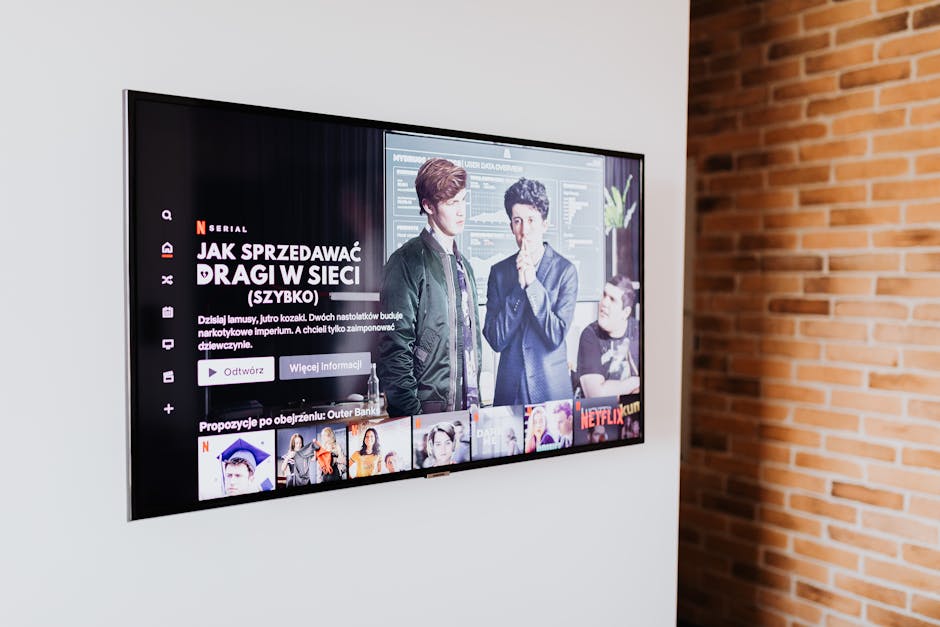
Android TV has transformed the modern living room, turning standard televisions into smart entertainment hubs. With access to countless apps, games, and services, it offers unparalleled flexibility. One of the most powerful ways to leverage this flexibility is through Internet Protocol Television (IPTV), which delivers television content over your internet connection.
However, to truly unlock the potential of your IPTV service, you need more than just a playlist—you need a powerful, feature-rich IPTV player. While there are many options available, not all are created equal. A dedicated player can be the difference between a clunky, frustrating experience and a seamless, enjoyable one that rivals traditional cable or satellite TV.
This guide will walk you through the essential features to look for in an IPTV player for Android TV, helping you make an informed decision to elevate your viewing experience.
Important Disclaimer: It is crucial to understand that IPTV players like ChannelMate are media playback tools. They are pieces of software designed to play content, but they do not provide any TV channels, subscriptions, streams, or content of any kind. Users are required to provide their own content from a legally authorized source, typically in the form of an M3U playlist or Xtream Codes credentials. ChannelMate and similar applications are not associated with any content providers, and we do not endorse the streaming of copyrighted material without permission from the copyright holder.

Why a Generic Video Player Isn't Enough
You might wonder, "Can't I just use a standard video player on my Android TV?" While technically possible for a single stream, you would be missing out on the core functionality that makes IPTV so convenient. Dedicated IPTV players are specifically designed to handle the complexities of live TV streaming and large content libraries. They provide:
* Structured Channel Lists: They parse your playlist and organize thousands of channels into logical groups.
* Electronic Program Guide (EPG): They integrate TV guide data, showing you what's on now and what's coming up next.
* VOD and Series Integration: They present movies and TV shows with posters, descriptions, and episode lists.
* Advanced Features: They offer powerful tools like multiscreen viewing, catch-up TV, and recording that a generic player simply can't handle.
Investing in a high-quality IPTV player is the first step toward building a professional-grade home entertainment setup.
Key Features of a Top-Tier IPTV Player for Android TV
When evaluating an IPTV player, focus on these critical areas to ensure you get the best performance, usability, and feature set for your needs.
1. Intuitive User Interface (UI) and Smooth User Experience (UX)
Since you'll be navigating the app from your couch with a remote control, the UI/UX is paramount. A great player should be designed for the "10-foot experience."
* Remote-Friendly Navigation: Menus should be clear, and every function should be easily accessible with the directional pad on your remote. Complicated, touch-focused interfaces have no place on a TV.
* Modern and Clean Design: The interface should be visually appealing and uncluttered. It should make browsing channels, VOD content, and the EPG a pleasant experience.
* Logical Layout: Finding your channel groups, favorites, settings, and search function should be instinctual. You shouldn't have to hunt through layers of confusing menus.
* Speed and Responsiveness: The app should load quickly and respond instantly to your commands. Laggy interfaces or slow-loading channel lists can ruin the viewing experience.
2. Comprehensive Playlist and EPG Support
The backbone of any IPTV player is its ability to correctly handle your playlist and program guide data. Look for a player that offers broad compatibility.
* M3U and M3U8 Playlist Support: This is the most common format for IPTV playlists. The player should be able to parse both static M3U files/links and dynamic M3U8 streams reliably.
* Xtream Codes API Integration: For many users, this is the preferred method. Instead of a long, cumbersome M3U link, you simply enter your username, password, and server URL. This API login often results in a faster, more organized setup, as it pulls channel categories, VOD information, and EPG data automatically from the provider.
* Robust EPG (Electronic Program Guide) Support: A TV guide is essential. The player should support XMLTV EPG sources, which are the industry standard. It should also automatically refresh the guide data, display it clearly, and allow you to see program descriptions and future schedules.
3. Rock-Solid Performance and Stability
An IPTV player is useless if it's constantly crashing or buffering. Performance is a non-negotiable feature.
* Efficient Video Decoding: The player should support both hardware and software decoding. Hardware decoding offloads the work to your Android TV's specialized processor, resulting in smoother playback and lower power consumption. The option to switch to software decoding can help with compatibility for obscure video formats.
* Fast Channel Zapping: The time it takes to switch between channels should be minimal. A good player pre-buffers or uses efficient connection methods to make channel hopping quick and seamless.
* Stability: The app should run for hours without crashing, freezing, or developing memory leaks. This is especially important for long viewing sessions or when using advanced features like recording.
4. Advanced Viewing Features
This is where elite players like ChannelMate truly shine. Advanced features transform your IPTV service from a simple list of channels into a powerful, interactive experience.
#### The Game-Changer: Multiscreen Viewing
Have you ever wanted to watch the big game while keeping an eye on the news? Or let the kids watch a cartoon while you follow a live event? This is where multiscreen functionality comes in.
ChannelMate offers one of the most advanced and flexible multiscreen systems available. It allows you to watch up to four simultaneous Live TV streams on a single screen. This is a must-have for sports fans, news junkies, and families with diverse tastes. Crucially, your authorized IPTV provider must offer you enough simultaneous connections to support this feature. If you want to watch four streams, your account needs to allow for four connections.
ChannelMate's multiscreen feature includes six distinct, remote-controlled layouts:
Navigating this powerful feature is simple. You use your remote to highlight which of the streams you want to hear audio from—only one audio panel is active at a time to avoid a chaotic mess of sound. You can also easily select any stream to make it fullscreen or swap it into the main panel position.
#### Other Advanced Features:
* Catch-up TV (Replay): Many providers offer the ability to watch programs that have already aired. A good player will seamlessly integrate this feature, often indicating catch-up availability directly in the EPG.
* Recording (DVR): The ability to record live TV to watch later is a staple of traditional television. An IPTV player with DVR functionality lets you schedule recordings of your favorite shows, movies, and events, provided your Android TV device has sufficient storage.
* VOD and Series Organization: The player should present your provider's Video on Demand and TV Series libraries in a beautiful, easy-to-navigate format, complete with cover art, ratings, cast information, and plot summaries.
5. Customization and Personalization
Your viewing experience should be your own. A quality player gives you the tools to customize it.
* Channel Management: The ability to hide unwanted channel groups, create custom favorite lists, and reorder channels is essential for managing large playlists.
* Parental Controls: For families, this is a critical feature. Look for a player that allows you to lock specific channel categories or individual channels with a PIN code, ensuring children can only access age-appropriate content.
* Appearance Settings: Options to change themes (light/dark mode), adjust font sizes, or tweak the EPG layout can greatly improve usability.
Practical Setup Guide: Getting Started with an IPTV Player
Setting up an IPTV player like ChannelMate on your Android TV is a straightforward process.
Frequently Asked Questions (FAQ)
Q1: Are IPTV players legal?
Yes, IPTV player applications are 100% legal. They are software tools, just like a web browser or a media player like VLC. The legality depends entirely on the content you choose to play through them. You are responsible for ensuring you have the legal rights to view the content provided by your playlist source.
Q2: Does ChannelMate provide any TV channels or movies?
No. To be perfectly clear, ChannelMate is a media player only. It does not include, provide, or sell any content, streams, or subscriptions. You must provide your own legally sourced playlist.
Q3: What's the difference between an M3U playlist and Xtream Codes?
An M3U playlist is a text-based file or URL that contains a list of stream links. Xtream Codes is a more advanced login system that uses a username, password, and server URL. Generally, the Xtream Codes API provides a more stable and user-friendly experience, as it often populates EPG data and organizes content automatically.
Q4: Why is my stream buffering?
Buffering can be caused by several factors. It might be your internet connection speed, an issue with your Wi-Fi signal, a temporary problem with your IPTV provider's servers, or your Android TV device's performance. It is rarely the fault of a high-quality player itself.
Q5: How many connections do I need from my provider for the multiscreen feature?
This is a critical point. You need one active connection for each stream you want to watch simultaneously. To use ChannelMate's multiscreen feature with four channels, your IPTV provider must allow at least four simultaneous connections on your account. Always check your provider's terms of service.
Conclusion: Choose a Player That Empowers You
An IPTV player is the key that unlocks the full potential of your IPTV service on Android TV. By prioritizing a slick user interface, robust performance, and powerful features like multiscreen viewing, you can build a truly modern and flexible entertainment system.
Don't settle for a basic or unreliable player. Look for one that is actively developed, stable, and designed with the user in mind. By choosing wisely, you ensure a premium viewing experience for years to come.
Ready to take control of your IPTV experience on Android TV? Download ChannelMate today and unlock a world of advanced features.
Ready to use ChannelMate with your own playlist?
Download the player, activate your app-generated MAC address, then upload only playlist sources you are legally authorised to use.