Solo lettoreNessun canale inclusoProva di 20 giorni

Un lettore IPTV pulito per le tue playlist

Organizza e riproduci playlist M3U ottenute legalmente e fonti Xtream autorizzate su Android TV, Windows e macOS. Nessun canale o abbonamento incluso.

New featureMultiscreen — watch up to 4 live streams at once
DOWNLOAD ON
Google Play
DOWNLOADER CODE
1810487
Prova di 20 giorni
Apple App Store (TBC)

Zero-access playlist encryption

Your playlist stays private—even from ChannelMate

Playlist URLs, uploaded M3U files, Xtream credentials, EPG URLs and PINs are encrypted in your browser before they reach our server. The server receives only unreadable ciphertext. We do not hold the private key, so we cannot decrypt, view or reuse your playlist. Only the matching ChannelMate app installation can unlock it.

Encrypted before upload
Private key stays on your device
Deleted after delivery or within 24 hours
New in ChannelMate

Multiscreen: watch up to 4 live streams at once

Follow multiple live events without constantly switching channels. Choose from six layouts, move the active audio between panels, expand any main view and control it all with your remote.

2–4 panels6 layoutsAudio focusFull-screen view
See the Multiscreen tutorial
ChannelMate Multiscreen4-screen grid
Live news
AUDIO ON
Match centre
MUTED
Live event
MUTED
Panel 4
New in 1.5.13

Record live TV. Schedule straight from the new EPG.

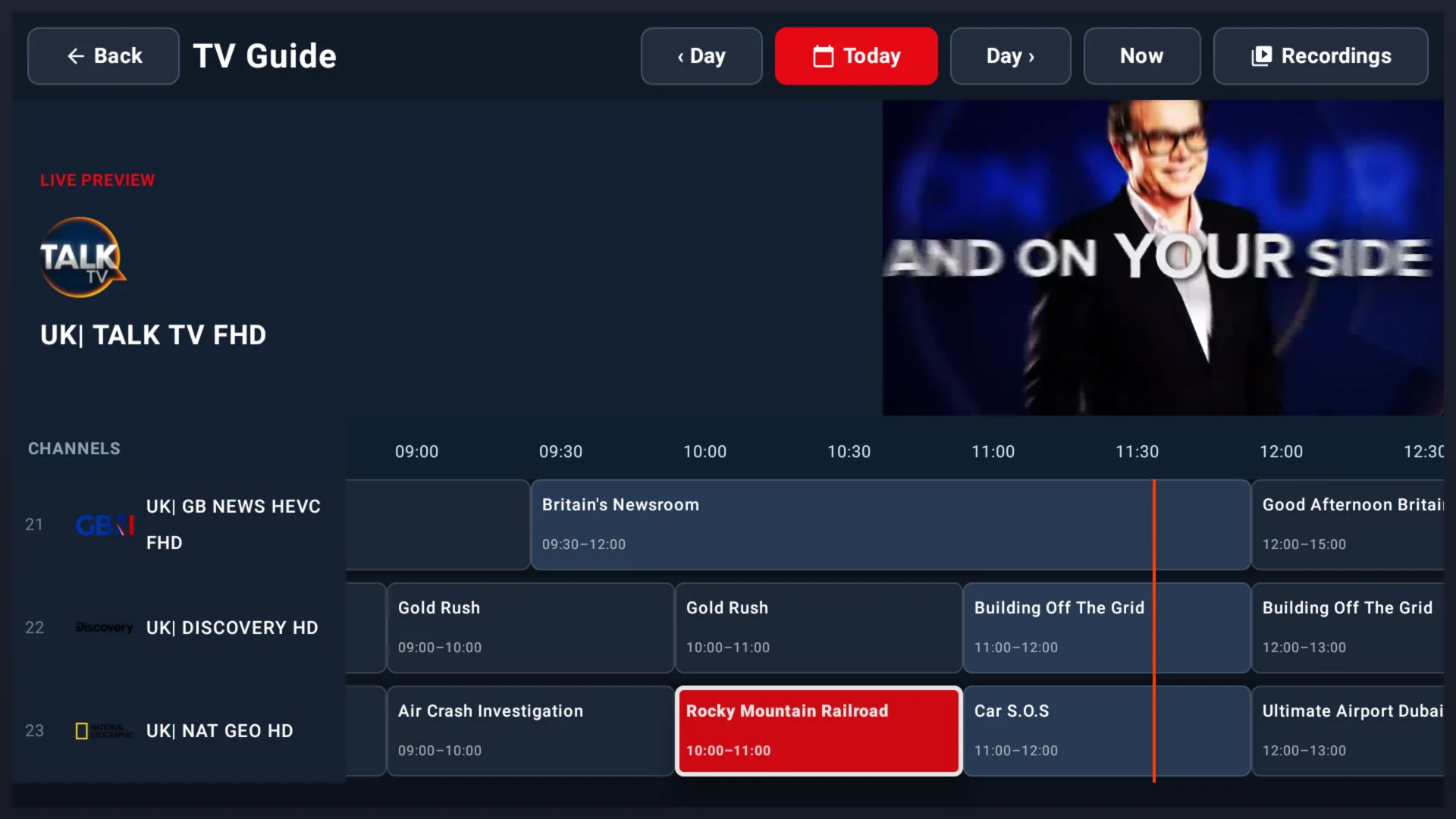
Browse a redesigned full-day timeline, open any programme and choose Record or Series. Recordings stay under your control and can be saved to this device, supported USB storage or your own NAS.

Live DVR recording

Start recording the programme currently on air.

Programme scheduling

Schedule a future programme or series from the guide.

Device & USB storage

Choose a local recording folder and storage quota.

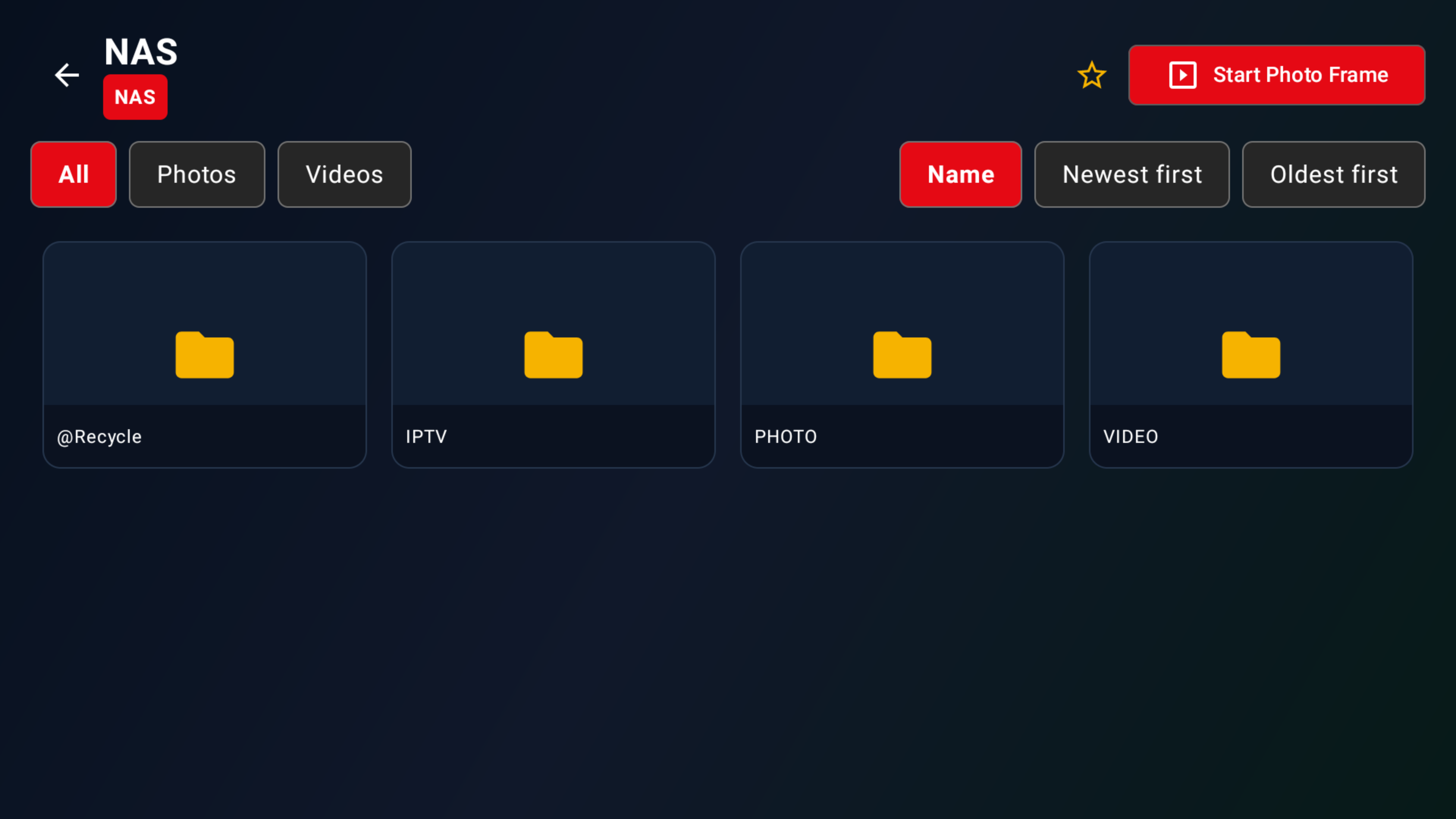
NAS recording

Connect to an SMB or NFS share on your own network.

See the DVR recording tutorial

EPG and recording availability depend on the data and stream format supplied by your authorised source. Follow applicable content rights and local law.

ChannelMate 1.5.13 full-day timeline EPG with programme selection
The redesigned full-day TV Guide in ChannelMate 1.5.13
Features

Tutto ciò di cui Hai Bisogno in un Lettore IPTV Moderno

Progettato per la semplicità, costruito per le prestazioni.

Supporto Playlist M3U

Carica le tue playlist M3U istantaneamente e naviga i tuoi contenuti con facilità.

Compatibile Xtream Codes

Connettiti tramite l'API Xtream Codes usando le tue credenziali di abbonamento.

Guida EPG

Supporto della Guida Elettronica dei Programmi per un'esperienza televisiva vera.

Attivazione Semplice

Attivazione semplice con il tuo ID dispositivo univoco — pronto in pochi secondi.

Preferiti

Salva le voci della playlist preferite per accedervi rapidamente.

ChannelMate at a glance

Practical features, clearly explained

Factual product benefits without unsupported comparisons or superiority claims.

ChannelMate

Player capabilities

Free Trial

A 20-day free trial starts automatically when the app is first used. No payment method is required and it does not convert automatically.

Remote-friendly interface

A clean, big-screen layout designed for straightforward navigation with a TV remote.

Playlist formats

Use your own legally authorised M3U playlists and Xtream sources, with EPG support when guide data is supplied.

Multiscreen on one device

Choose layouts for up to four simultaneous live streams on the same activated device.

Privacy and access

How ChannelMate works

Encrypted assignment

Playlist details are encrypted before upload. ChannelMate receives only unreadable ciphertext and does not hold the private key needed to view or reuse them.

One-time delivery

The encrypted assignment is deleted after the app confirms successful import, or expires after 24 hours.

Desktop and TV support

Available for Android TV and compatible Android devices, Windows and macOS.

Simple device licence

A £9.99 one-time licence activates one ChannelMate Device ID; each additional device needs its own licence.

Start Your 20-Day Free Trial

ChannelMate is a media player for user-provided, legally authorised sources. No channels, playlists, streams or IPTV subscriptions are provided or sold.

How It Works

Operativo in 3 Passaggi

1

Scarica l'App

Scarica ChannelMate per Android TV e dispositivi Android compatibili, Windows o macOS.

2

Attiva il Tuo Dispositivo

Inserisci il tuo ID dispositivo nella nostra pagina di Attivazione per sbloccare l'app.

3

Carica la Tua Playlist

Carica la tua playlist M3U ottenuta legalmente o connettiti via Xtream Codes e inizia a guardare.

Platform Support

Works on Your Devices

ChannelMate supports Android TV and compatible Android devices, Windows and macOS. Each licence covers one ChannelMate Device ID.

📺

Android TV

Native TV interface designed for the big screen. Navigate with your remote.

💻

Windows

Install ChannelMate on a compatible Windows PC using the current release package.

🖥️

macOS

Run the current ChannelMate desktop release on a compatible Mac.

📋

M3U, Xtream and EPG

Use your own authorised sources and supplied guide data on the activated device.

Legal Clarity

A Player. Nothing More.

ChannelMate is a media player application. Here is exactly what that means.

🎬

Media Player Only

ChannelMate plays media from playlists you supply. It works like VLC: a neutral player tool.

🚫

No Channels Included

We do not provide, host, sell or bundle any TV channels, live streams, IPTV subscriptions or content.

💳

No Subscriptions Sold

You purchase an activation licence for the app only. No IPTV services or channel packages are sold.

👤

Your Content, Your Responsibility

Users are solely responsible for ensuring their playlists are legally obtained and permitted in their jurisdiction.

🔑

Activate Your Device

Got your activation code? Enter your Device ID and unlock the ChannelMate player in seconds.

Activate Now
📋

Upload Your Playlist

Add your legally obtained M3U URL or Xtream Codes credentials, then play your own media sources in the app.

Upload Playlist →

Pronto a Riprodurre le Tue Playlist?

Scarica IPTV ChannelMate oggi e goditi i tuoi contenuti su qualsiasi dispositivo.

ChannelMate is a media player for user-provided, legally authorised sources. No channels, playlists, streams or IPTV subscriptions are provided or sold.

FAQ

Domande Frequenti

IPTV ChannelMate è un'applicazione lettore multimediale che ti permette di riprodurre le tue playlist M3U e stream Xtream Codes. È solo un lettore — nessun canale, abbonamento o contenuto è incluso.
ChannelMate supporta Android TV e dispositivi Android compatibili, Windows e macOS. Usa la pagina di download per il metodo di installazione attuale.
L'attivazione sblocca l'app lettore IPTV ChannelMate sul tuo dispositivo specifico. Non include canali, stream, playlist o contenuti.
Ogni licenza a vita da £9,99 attiva un ID dispositivo ChannelMate. Serve una licenza separata per ogni dispositivo aggiuntivo. Il trasferimento non è automatico; contatta l'assistenza dopo sostituzione, smarrimento o ripristino.
La prova inizia automaticamente al primo utilizzo di ChannelMate. Non richiede un metodo di pagamento e non si converte automaticamente in una licenza a pagamento.
No. IPTV ChannelMate è solo un lettore. Devi fornire la tua playlist M3U ottenuta legalmente o credenziali Xtream Codes da un fornitore autorizzato.
Blog

Ultime dal Nostro Blog

Guide, consigli e tutorial per ottenere il massimo dal tuo lettore IPTV.

📡
IPTV Player Guides5 min di lettura

How to Install IPTV on Firestick (The Legal, Safe & Simple Way)

Tired of generic streaming? Learn the simple, safe, and 100% legal way to install IPTV on your Firestick using the ChannelMate player. Bring your own content and unlock a new world.

2026-06-09Leggi Tutto
📡
IPTV Player Guides5 min di lettura

What Is an IPTV Player?

An IPTV player is a media player application that reads and plays video streams from a playlist file. Learn how it works and why you need one.

2025-04-01Leggi Tutto
📋
Playlist Setup4 min di lettura

How to Upload an M3U Playlist

A step-by-step guide to adding your [M3U playlist URL](/upload-playlist/) to [IPTV ChannelMate](/). Get your content playing in under 5 minutes.

2025-04-08Leggi Tutto
🎉

Pronto a Riprodurre le Tue Playlist?

Scarica IPTV ChannelMate oggi e goditi i tuoi contenuti su qualsiasi dispositivo.