If you use an Android TV or Firestick, chances are you've heard of TiviMate. For years, it has been the undisputed champion of media players for power users looking to manage complex M3U playlists and Xtream Codes setups. However, as the app landscape evolves and smart TVs become more advanced, many users are searching for a TiviMate alternative that offers a simpler, more modern experience without the steep learning curve.
Enter ChannelMate—a premium, legal IPTV player built specifically for users who want clean aesthetics, modern UI design, and family-friendly navigation. Let's compare the two side-by-side to see which player is right for your home entertainment setup in 2026.

The Problem with "Power User" Apps
TiviMate is undeniably powerful, but its strength is also its greatest weakness. Designed primarily by developers for other tech enthusiasts, the interface is packed with deep menus, complex configuration screens, and hidden remote control shortcuts. If you are a hobbyist who loves spending hours tweaking buffer sizes, customizing EPG intervals, and modifying the exact background transparency of your menus, TiviMate is a dream come true.
But for the average household, this level of complexity can be incredibly frustrating. When you hand the TV remote to a spouse, child, or guest, they shouldn't need a tutorial to watch their legally obtained media. They shouldn't accidentally press the "long-hold OK" button and find themselves trapped in a settings menu they don't understand.
This friction is exactly why the demand for a TiviMate alternative has skyrocketed. Users want the reliability and format support of a premium player, but with the intuitive, frictionless experience of modern streaming apps like Apple TV or Netflix.
Side-by-Side Overview
Before diving into the specifics, it's important to understand that both apps fundamentally do the same thing: they are media players. Neither app provides, sells, or hosts TV channels, IPTV subscriptions, or copyrighted content. You must bring your own legally obtained M3U playlist or Xtream Codes API credentials.
Where they differ is in philosophy, design, and user experience.
1. User Interface & Aesthetics: Dated Menus vs Modern Glassmorphism
The most immediate difference you will notice when booting up these two applications is the visual design.
TiviMate's Interface:
TiviMate utilizes a highly functional but undeniably dated grid system. The menus are text-heavy, utilizing standard grey and blue color palettes that feel reminiscent of early Android TV interfaces from 2018. While you can customize colors to a degree, the overall architecture feels rigid. Categories are listed in small fonts, and navigating through large playlists can sometimes feel like scrolling through a complex spreadsheet. It gets the job done, but it doesn't "wow" you.
ChannelMate's Interface:
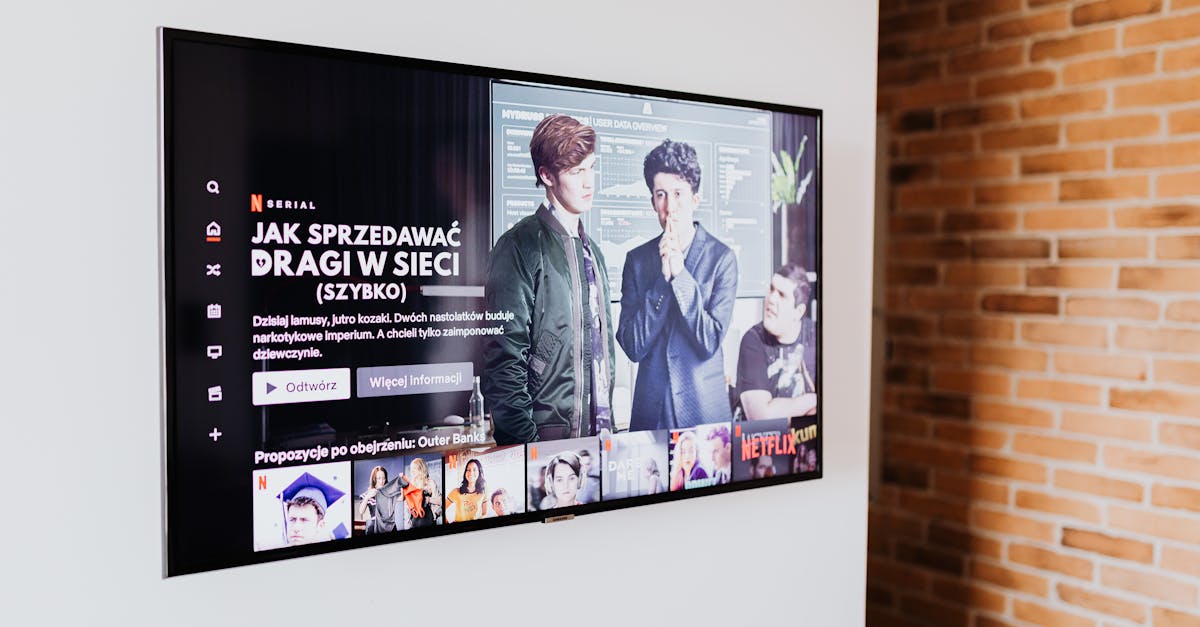
ChannelMate was designed with modern 2026 web and app aesthetics in mind. It embraces a "Glassmorphism" design philosophy, featuring stunning translucent sidebars that softly blur the content behind them. When navigating, users are greeted with smooth, 60fps micro-animations—buttons slightly scale up when hovered, category transitions fade seamlessly, and the entire experience feels alive.
Instead of dense text lists, ChannelMate prioritizes large, easily readable typography and rich visuals. The result is a premium, cinematic feel that looks incredible on large 4K OLED screens. If you want an app that looks as expensive as the TV it's running on, ChannelMate is the superior TiviMate alternative.
2. Setup and Activation Process: The Companion App vs The Web Portal
Setting up an IPTV player on a smart TV has historically been a painful process. Both apps attempt to solve this, but they take very different approaches.
Activating TiviMate:
Unlocking the premium features of TiviMate requires a surprisingly convoluted process. Because Google Play billing isn't available on all Android TV devices (and isn't natively supported on Amazon Firesticks), TiviMate requires users to download a separate "TiviMate Companion" app on an Android phone. If you have an iPhone, you are forced to use an Android emulator on your PC just to pay for and activate your device. Once paid, you then have to log into that account on your TV using your remote.
Activating ChannelMate:
ChannelMate entirely bypasses this friction by offering a universal, frictionless web portal. When you install ChannelMate on your TV, it displays a unique Device ID (MAC address). You simply grab your phone, tablet, or laptop (iOS, Windows, Mac, or Android), navigate to the ChannelMate Activation Portal, enter your Device ID, and activate. It takes less than 30 seconds, requires no companion apps, and works perfectly regardless of whether you own an iPhone or an Android device.
3. Playlist Management: Remote Control Typing vs Cloud Uploading
Once activated, you need to load your media. If you are dealing with a standard M3U URL, you are usually looking at a string of 60+ random characters and symbols.
TiviMate Playlist Addition:
In TiviMate, you are often forced to type this incredibly long M3U URL manually using the TV's on-screen keyboard and your directional remote. One typo, and you have to start over. While power users bypass this using URL shortening services like bit.ly, it's an unnecessary extra step that frustrates new users.
ChannelMate Playlist Addition:
ChannelMate solves this elegantly with its cloud-sync technology. Using the Upload Playlist portal on the ChannelMate website, you can literally copy and paste your M3U URL or Xtream Codes credentials from an email directly into your web browser. You press "Upload," and within seconds, the playlist magically appears on your TV. No typing on remotes, no URL shorteners, just seamless cross-device synchronization.
4. Performance, EPG Parsing, and Buffering
Both apps are highly optimized for Android and Fire OS, and both handle large, complex playlists exceptionally well.
TiviMate Performance:
TiviMate is legendary for its ability to digest massive M3U playlists with tens of thousands of entries without crashing. Its Electronic Programme Guide (EPG) parser is robust, allowing users to assign multiple external EPG XMLTV URLs to fill in missing schedule data. It also features extensive buffering controls, allowing users to manually increase video buffer sizes to combat network latency.
ChannelMate Performance:
ChannelMate matches this performance but handles it silently in the background. It uses advanced multi-threaded parsing to load large Xtream Codes databases almost instantly. While it doesn't offer the granular, manual buffer tweaking that TiviMate does, its auto-adjusting playback engine dynamically manages buffering to ensure smooth playback on everything from high-end Nvidia Shields to older, low-memory Amazon Firesticks. The EPG is automatically mapped and displayed in a beautiful, magazine-style layout that is much easier to read from the couch.
5. Pricing and Licensing Transparency
When investing in a premium media player, clarity in pricing is essential.
TiviMate Pricing:
TiviMate offers a yearly subscription or a lifetime unlock (usually around $29.99, though prices fluctuate by region). The licensing is tied to a Google Play account via the companion app, which allows up to 5 devices. However, managing these devices if you sell a TV or lose a device can be cumbersome through the companion interface.
ChannelMate Pricing:
ChannelMate offers a straightforward, transparent lifetime licence per device. There are no recurring subscriptions. You pay once to unlock the player on your specific Device ID for life. This approach is highly preferred by users who want to "set it and forget it" without worrying about managing accounts, companion apps, or recurring annual charges.
Side-by-Side Comparison
| Feature / Aspect | TiviMate Premium | ChannelMate |
|---|---|---|
| Primary Audience | Power Users & Tech Enthusiasts | Everyday Users & Families |
| User Interface | Text-heavy, functional, dated | Modern, Glassmorphism, animations |
| Activation Method | Android Companion App required | Universal Web Portal (Works on iOS) |
| Add Playlist | TV Remote typing or shorteners | Web Browser Copy/Paste Portal |
| M3U / Xtream Codes | Yes / Yes | Yes / Yes |
| Multi-Screen | Yes | Coming Soon |
| Pricing Model | Account-based (up to 5 devices) | Device-based (Lifetime MAC unlock) |
| Learning Curve | Steep | Very Easy |
Who Should Choose TiviMate?
If you are the kind of user who loves to tinker, TiviMate remains an incredible piece of software. If you need to manually assign specific XMLTV EPG sources to individual channels, if you want to remap the "double-tap left" button on your remote to trigger a specific function, or if you regularly utilize multi-screen viewing to watch four sports events simultaneously, TiviMate is worth the learning curve. It is a powerful sandbox for IPTV enthusiasts.
Who Should Choose ChannelMate?
If you are looking for the absolute best TiviMate alternative, ChannelMate is the clear winner for the vast majority of users.
You should choose ChannelMate if:
Conclusion: The Modern Standard for 2026
For years, users have accepted complex, cluttered interfaces simply because they needed the underlying format support that apps like TiviMate provided. But in 2026, you no longer have to compromise. You can have robust M3U and Xtream Codes support wrapped in a beautiful, intuitive package.
Why settle for complex menus and companion apps? Experience the modern standard for media players. Download ChannelMate today and take advantage of our 20-day free trial.
*(Reminder: ChannelMate is a media player application only. No channels, subscriptions, streams, or copyrighted content are provided, sold, or endorsed. Users must supply their own legally obtained content.)*
Ready to use ChannelMate with your own playlist?
Download the player, activate your app-generated MAC address, then upload only playlist sources you are legally authorised to use.