How to Install IPTV on Firestick (The Legal, Safe & Simple Way)
Tired of generic streaming? Learn the simple, safe, and 100% legal way to install IPTV on your Firestick using the ChannelMate player. Bring your own content and unlock a new world.
Organisez et lisez des playlists M3U obtenues légalement et des sources Xtream autorisées sur Android TV, Windows et macOS. Aucune chaîne ni aucun abonnement inclus.
New featureMultiscreen — watch up to 4 live streams at onceZero-access playlist encryption
Playlist URLs, uploaded M3U files, Xtream credentials, EPG URLs and PINs are encrypted in your browser before they reach our server. The server receives only unreadable ciphertext. We do not hold the private key, so we cannot decrypt, view or reuse your playlist. Only the matching ChannelMate app installation can unlock it.
Follow multiple live events without constantly switching channels. Choose from six layouts, move the active audio between panels, expand any main view and control it all with your remote.
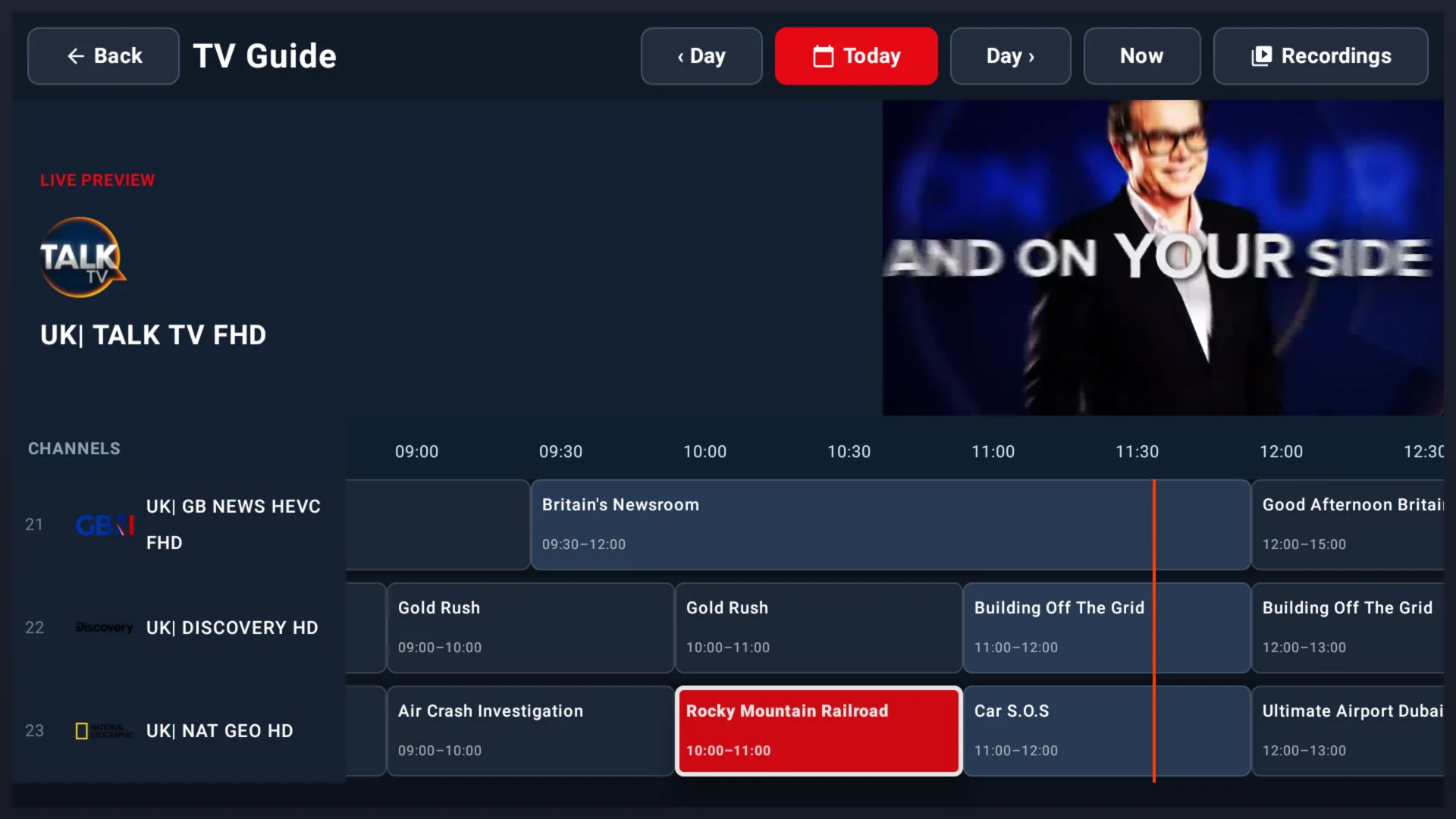
Browse a redesigned full-day timeline, open any programme and choose Record or Series. Recordings stay under your control and can be saved to this device, supported USB storage or your own NAS.
Start recording the programme currently on air.
Schedule a future programme or series from the guide.
Choose a local recording folder and storage quota.
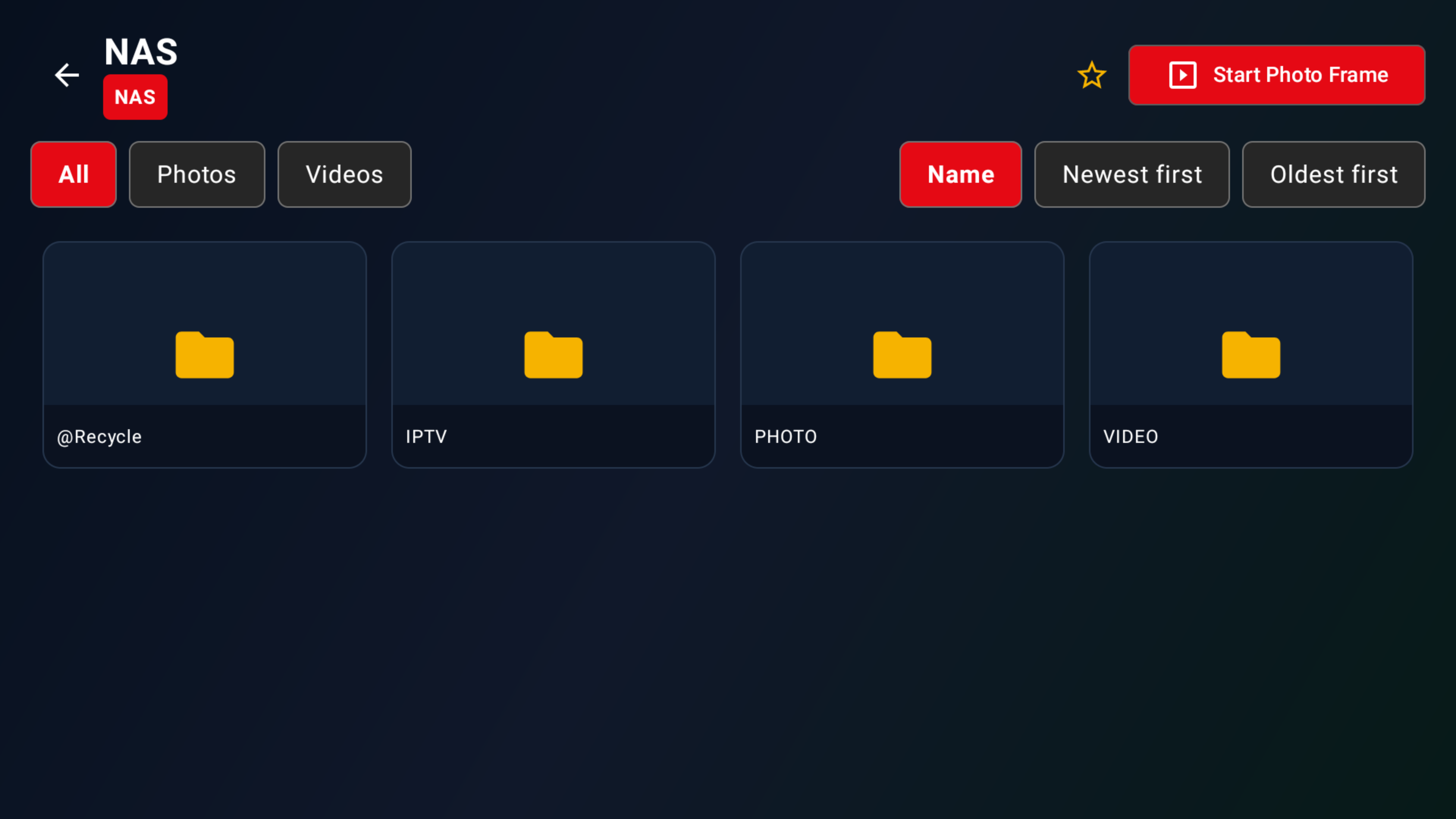
Connect to an SMB or NFS share on your own network.
EPG and recording availability depend on the data and stream format supplied by your authorised source. Follow applicable content rights and local law.

Conçu pour la simplicité, construit pour la performance.
Chargez vos propres playlists M3U instantanément et naviguez dans votre contenu facilement.
Connectez-vous via l'API Xtream Codes avec vos propres identifiants d'abonnement.
Support du Guide Électronique des Programmes pour une expérience télévisuelle.
Activation simple avec votre identifiant d'appareil unique — prêt en quelques secondes.
Enregistrez vos entrées de playlist favorites pour y accéder rapidement.
Factual product benefits without unsupported comparisons or superiority claims.
A 20-day free trial starts automatically when the app is first used. No payment method is required and it does not convert automatically.
A clean, big-screen layout designed for straightforward navigation with a TV remote.
Use your own legally authorised M3U playlists and Xtream sources, with EPG support when guide data is supplied.
Choose layouts for up to four simultaneous live streams on the same activated device.
Playlist details are encrypted before upload. ChannelMate receives only unreadable ciphertext and does not hold the private key needed to view or reuse them.
The encrypted assignment is deleted after the app confirms successful import, or expires after 24 hours.
Available for Android TV and compatible Android devices, Windows and macOS.
A £9.99 one-time licence activates one ChannelMate Device ID; each additional device needs its own licence.
ChannelMate is a media player for user-provided, legally authorised sources. No channels, playlists, streams or IPTV subscriptions are provided or sold.
Téléchargez ChannelMate pour Android TV et les appareils Android compatibles, Windows ou macOS.
Entrez votre identifiant d'appareil sur notre page d'activation pour déverrouiller l'app.
Importez votre playlist M3U obtenue légalement ou connectez-vous via Xtream Codes et commencez à regarder.
ChannelMate supports Android TV and compatible Android devices, Windows and macOS. Each licence covers one ChannelMate Device ID.
Native TV interface designed for the big screen. Navigate with your remote.
Install ChannelMate on a compatible Windows PC using the current release package.
Run the current ChannelMate desktop release on a compatible Mac.
Use your own authorised sources and supplied guide data on the activated device.
ChannelMate is a media player application. Here is exactly what that means.
ChannelMate plays media from playlists you supply. It works like VLC: a neutral player tool.
We do not provide, host, sell or bundle any TV channels, live streams, IPTV subscriptions or content.
You purchase an activation licence for the app only. No IPTV services or channel packages are sold.
Users are solely responsible for ensuring their playlists are legally obtained and permitted in their jurisdiction.
Got your activation code? Enter your Device ID and unlock the ChannelMate player in seconds.
Activate NowAdd your legally obtained M3U URL or Xtream Codes credentials, then play your own media sources in the app.
Upload Playlist →Téléchargez IPTV ChannelMate aujourd'hui et profitez de votre propre contenu sur n'importe quel appareil.
ChannelMate is a media player for user-provided, legally authorised sources. No channels, playlists, streams or IPTV subscriptions are provided or sold.

Guides, astuces et tutoriels pour tirer le meilleur de votre lecteur IPTV.
Tired of generic streaming? Learn the simple, safe, and 100% legal way to install IPTV on your Firestick using the ChannelMate player. Bring your own content and unlock a new world.
An IPTV player is a media player application that reads and plays video streams from a playlist file. Learn how it works and why you need one.
A step-by-step guide to adding your [M3U playlist URL](/upload-playlist/) to [IPTV ChannelMate](/). Get your content playing in under 5 minutes.
Téléchargez IPTV ChannelMate aujourd'hui et profitez de votre propre contenu sur n'importe quel appareil.