ChannelMate
A visual guide to ChannelMate — including the new DVR, full-day EPG, programme scheduling, USB and NAS recording.
Release 1.5.13Ni siquiera ChannelMate puede leer las credenciales cifradas de tu lista
Tu navegador
URL, M3U, credenciales, PIN
Datos cifrados
Datos cifrados ilegibles
Servidor de ChannelMate
Sin clave de descifrado
En los envíos cifrados, las URL de listas, archivos M3U, credenciales Xtream, URL EPG y PIN se cifran en tu navegador antes de llegar al servidor. Este solo recibe datos cifrados ilegibles. No tenemos la clave privada, por lo que no podemos descifrar, ver ni reutilizar tu lista. Solo la instalación correspondiente de ChannelMate puede descifrarla. La configuración sigue disponible para Reload hasta que se sustituya o elimine, sin borrado tras la entrega o a las 24 horas.
Los envíos de compatibilidad para versiones antiguas se almacenan de forma legible y quedan excluidos de esta garantía de cifrado. Si aparece un aviso, actualiza la aplicación antes de subir datos.
Home & Playlists
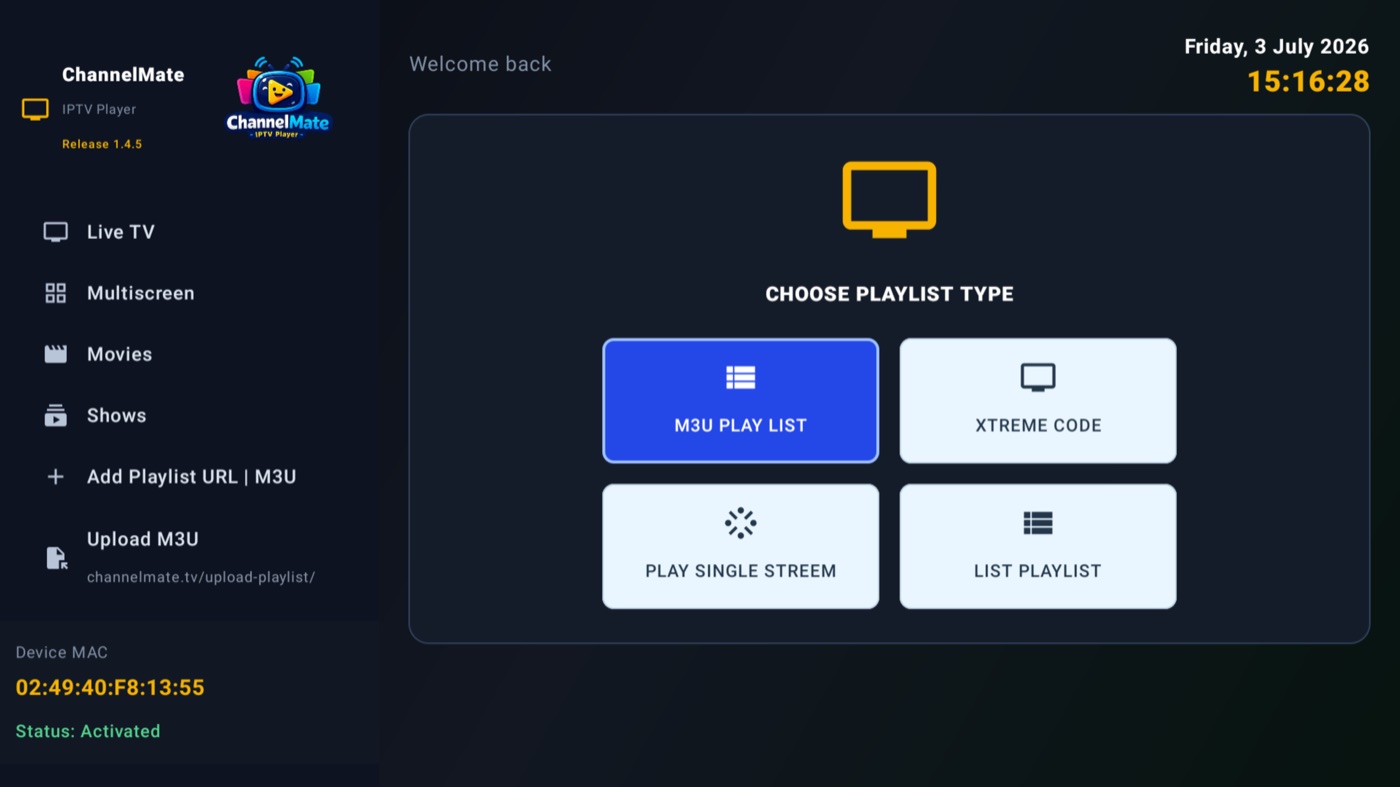
Load an M3U playlist, Xtream Code, a single stream, or a shared list — everything shows up on one Home dashboard with channel, movie and show counts and per-group management.
Multiscreen
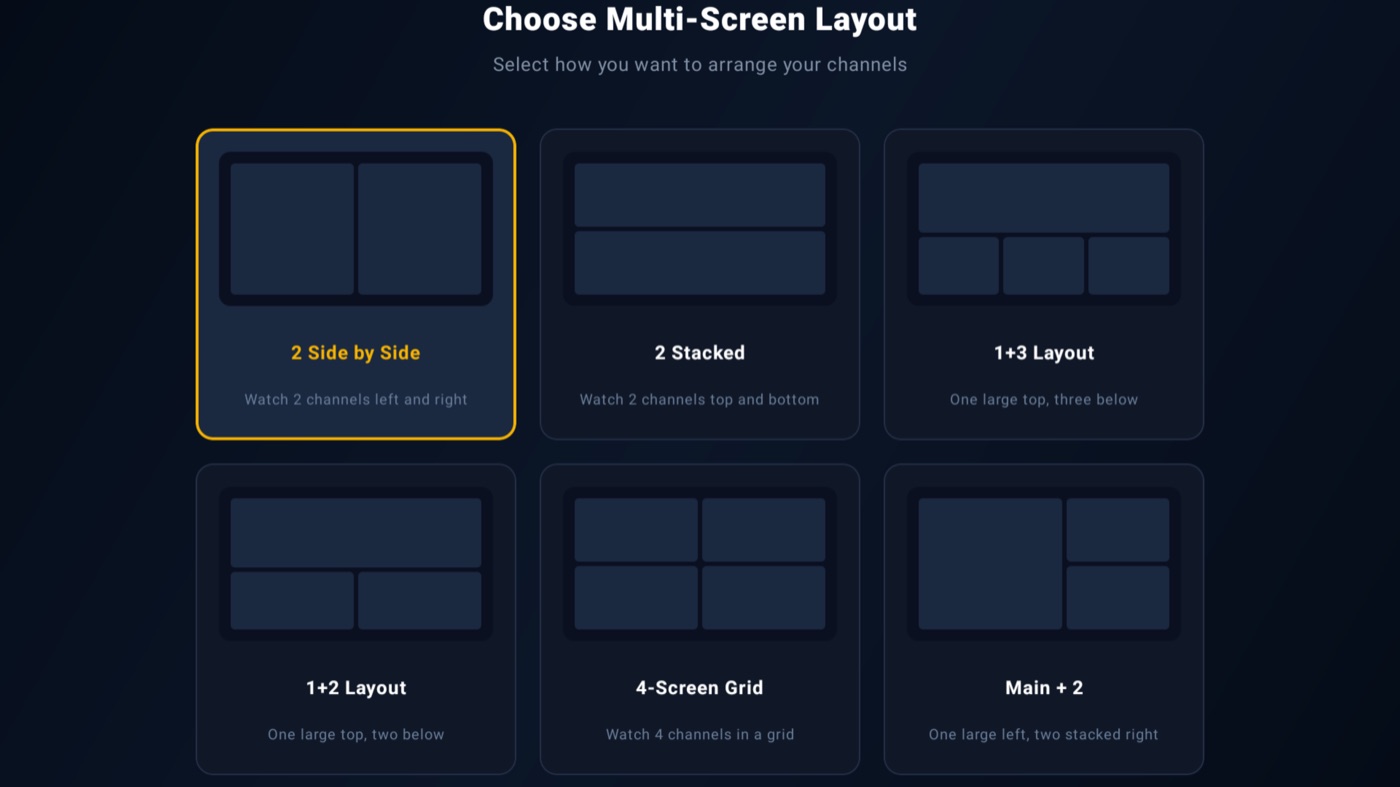
Watch several channels at once — pick from six layouts, from simple side-by-side to a full 4-screen grid. Perfect for catching two matches simultaneously.
Record a Live Programme
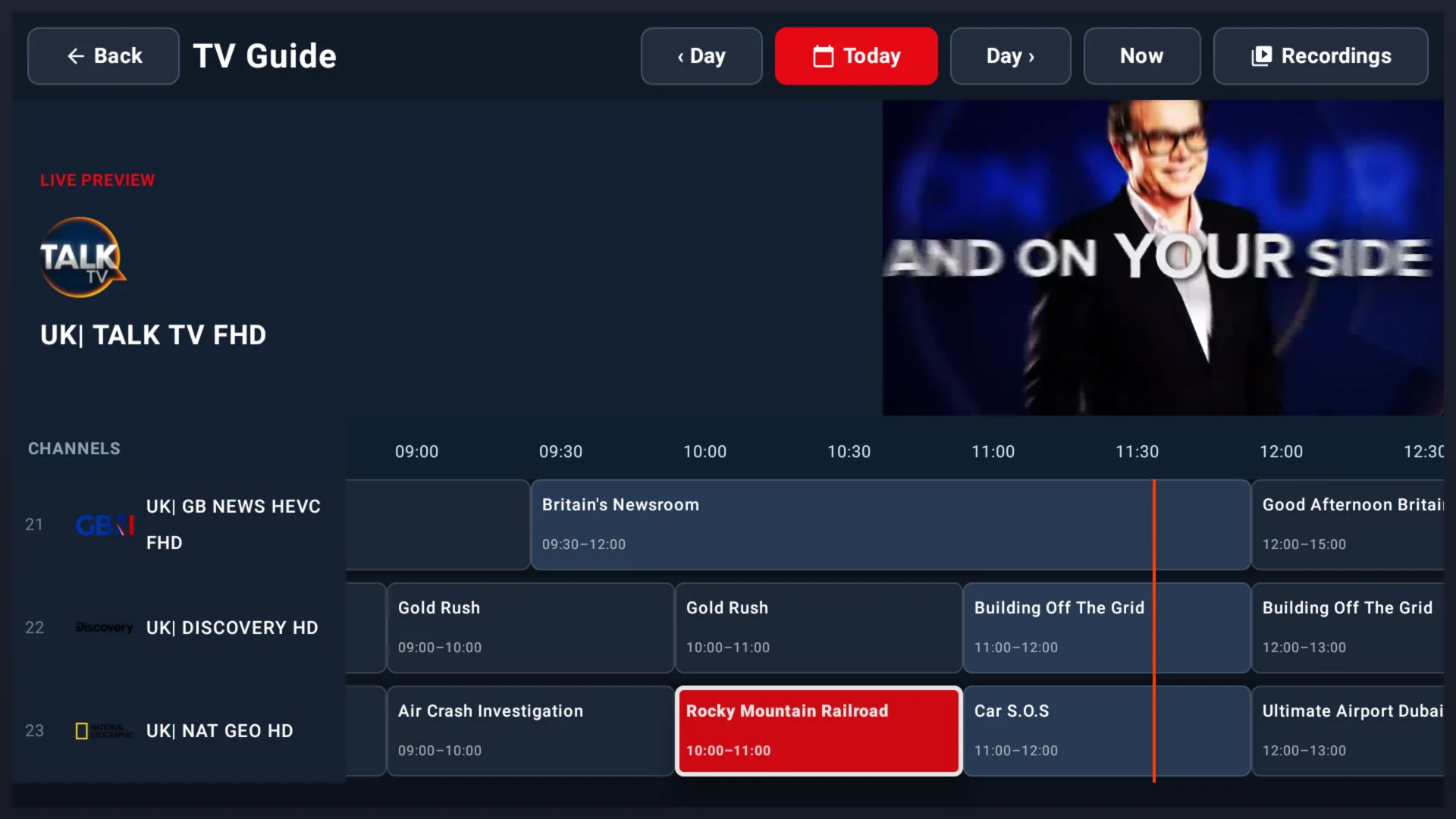
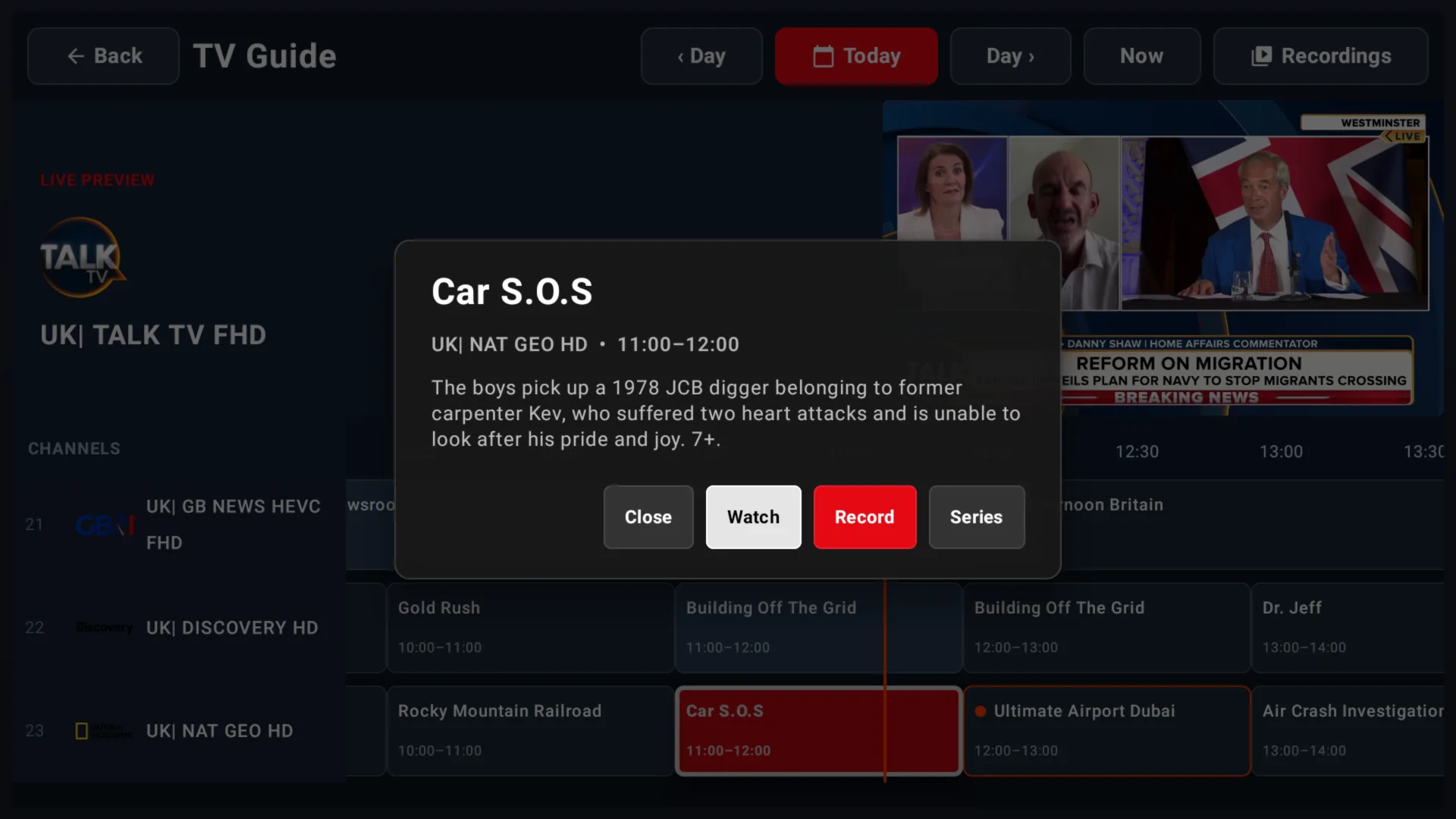
NEW in 1.5.13The redesigned full-day EPG makes the programme currently on air easy to find. Open it, choose Record and ChannelMate starts a DVR job using your selected recording destination.
- 1From Live TV, select a channel and open EPG.
- 2Choose Now, highlight the programme currently on air and press OK.
- 3Move to Record and press OK. Open DVR → Recording to monitor it.
Schedule a Programme or Series
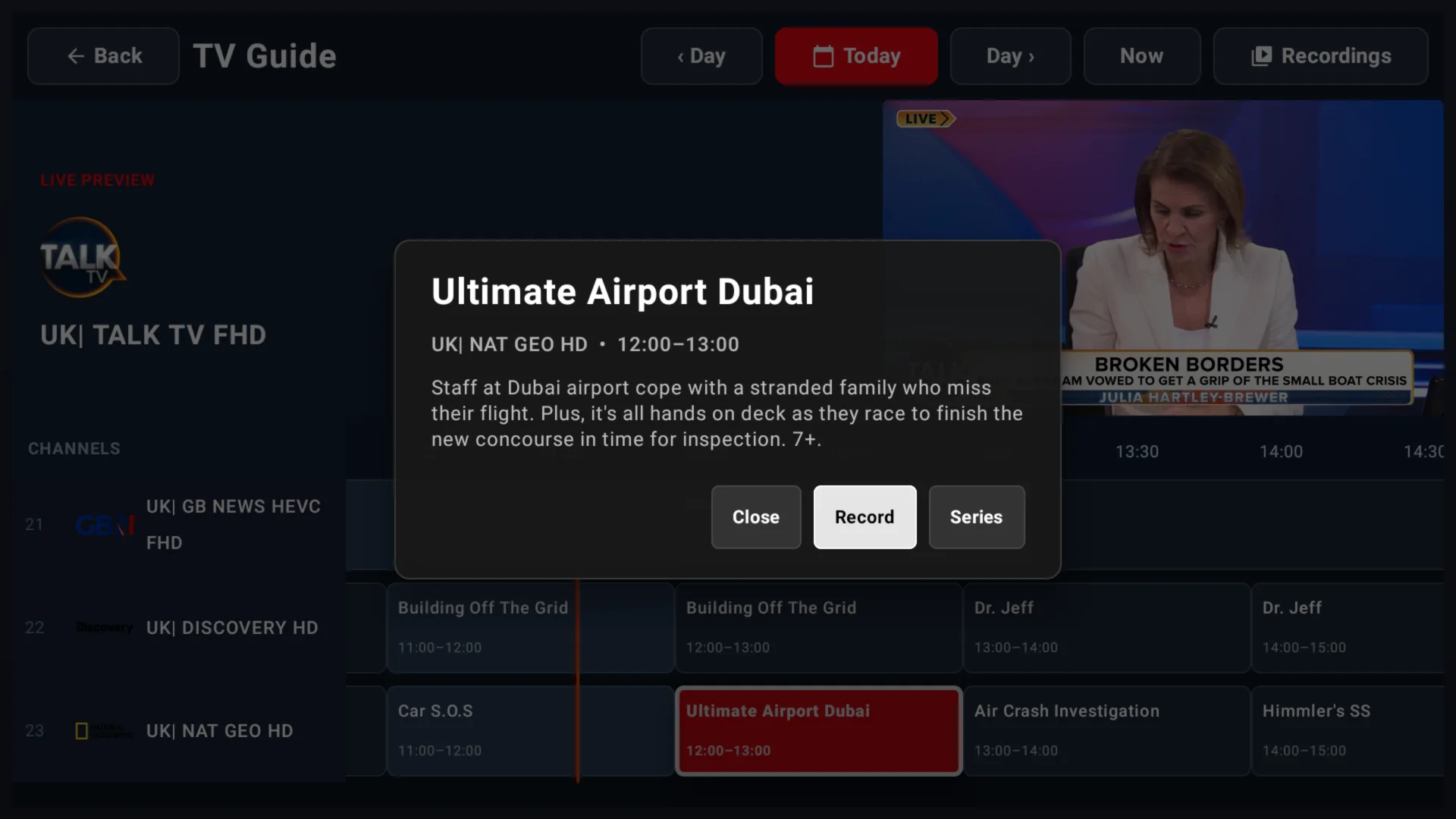
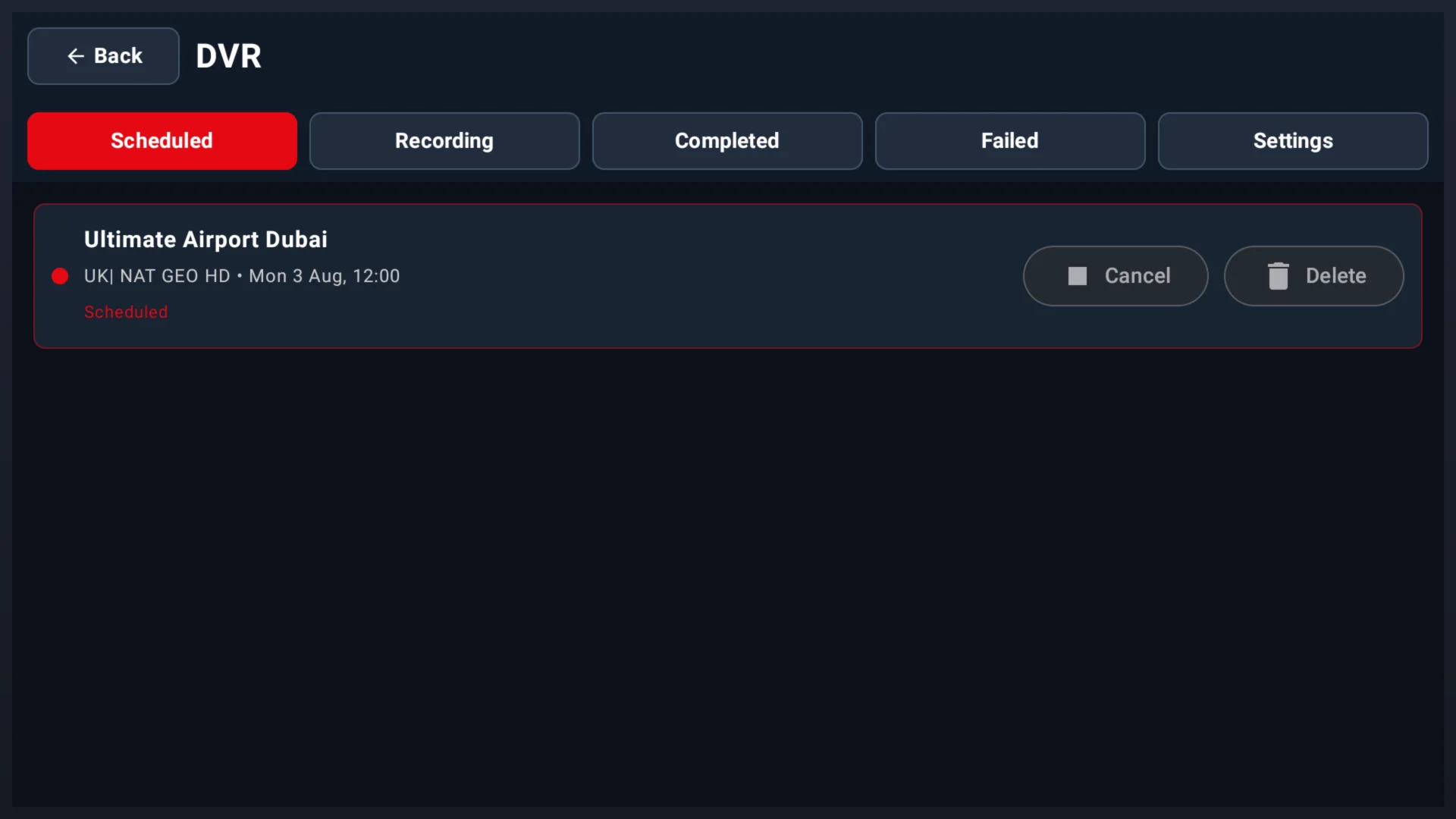
NEW in 1.5.13Move forward through the timeline and schedule a future programme without leaving the guide. Scheduled jobs are collected in one DVR screen where you can review or cancel them before they start.
- 1Open the EPG and move right to a future programme.
- 2Press OK, then choose Record for one programme or Series for matching episodes.
- 3Open DVR → Scheduled to confirm the date, time and channel. Use Cancel if your plans change.
Save Recordings to USB or NAS
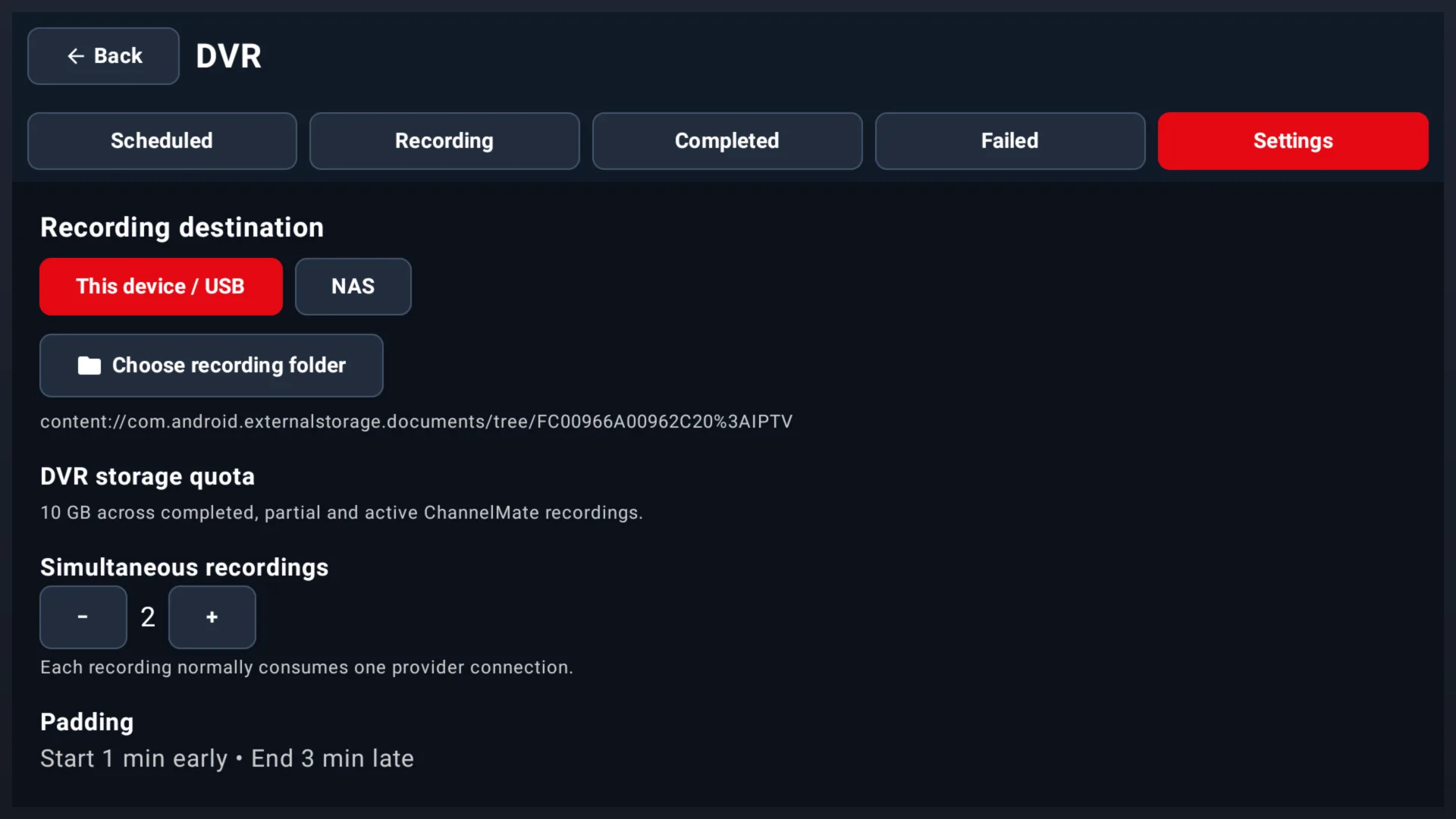
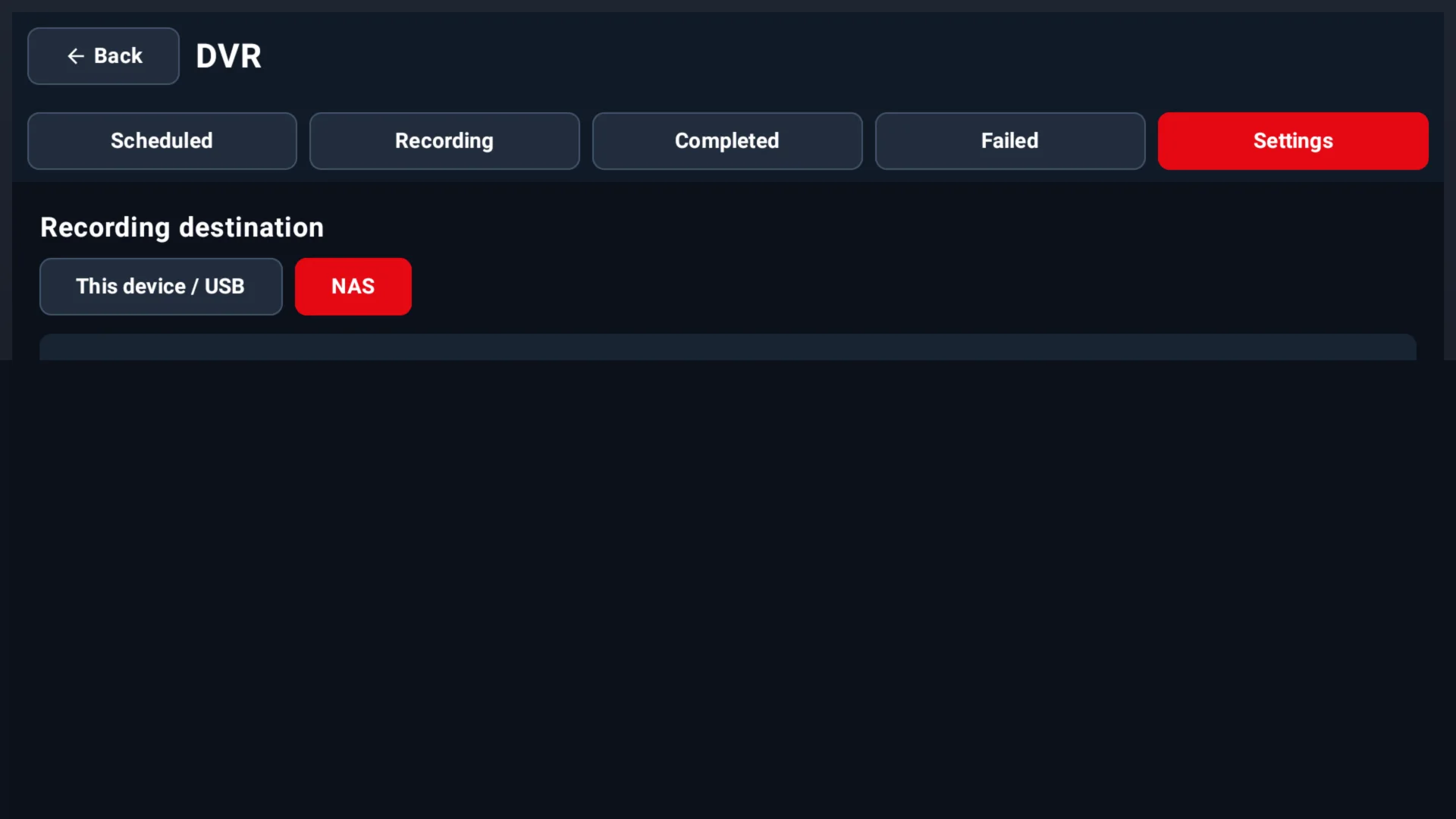
NEW in 1.5.13Choose where ChannelMate stores DVR files. Use a folder on this device or supported USB storage, or connect your own NAS over SMB or NFS. You can also set a storage quota, simultaneous recording limit and start/end padding.
- 1Open DVR → Settings and choose This device / USB or NAS.
- 2For USB, choose a recording folder and approve Android folder access. For NAS, select SMB or NFS and enter the share details.
- 3Set your quota, simultaneous recording limit and padding, then save the configuration.